

Home » Blog » How Aviation Concepts Expanded Its Excel Reporting Capabilities with Power BI

How Aviation Concepts Expanded Its Excel Reporting Capabilities with Power BI

Aviation Concepts is an aviation parts distributor. The company already had an established Excel reporting system using Excel Connector, which automatically refreshed the data. Over time, however, standard reports were no longer enough. The business required a more flexible approach to analytics — and Aviation Concepts turned to Cobit Solutions.

4 analytics
areas

Revenue, Inventory, Backlog, Finance

Drill-down in Power BI

Quick transition from high-level metrics to details

Customer-level data

Detailed analysis of metrics by individual customers

Visual dashboards

Key business information in one convenient format

Aviation Concepts: A Global Supplier of Aviation Components

Aviation Concepts is a U.S.-based company specializing in aviation parts supply and inventory management solutions. It works with commercial, cargo, and regional airlines, supplies components for Airbus and Boeing aircraft, and is now part of AxioAero Group.

Since 1991

in the aviation industry

21,000+ inventory

items in stock

300+ customers

served

50+ countries across

its customer geography

What Brought Aviation Concepts to Cobit Solutions

The company already had an established Excel reporting system. Some reports were automatically refreshed through Excel Connector, so the challenge was not accessing basic metrics.

The difficulty arose when the team needed to drill down into the data. For example:

  • view details for a specific customer;
  • investigate an individual metric;
  • create an additional data breakdown;
  • compare results against the budget or previous periods;
  • quickly respond to a new management request.

To do this, specialists had to return to the original data in Excel and manually create the necessary analysis.

Depending on the request, this could take 30 minutes, an hour, or even a full working day.

What They Wanted to Improve

The main goal was to save time on data drill-down.

The company needed the ability to:

What Data Mattered Most
to the Business

The company focused its reporting on four key areas:

Revenue

Revenue, MTD, YTD, week-over-week, month-over-month and year-over-year comparisons, budget, and key customers.

Inventory

Stock levels, slow-moving inventory, and high-value items losing value over time.

Backlog

Orders due this month and next month, overdue orders, and customer-level details.

Finance / Accounting

Accounts payable, accounts receivable, cash, and consistency of figures across reports

“We needed the ability to drill down into specific areas, for example,
to the level of an individual customer.”

Anthony Gandarillas, Financial Planning & Analysis (FP&A) Specialist, Aviation Concepts

Power BI for Detailed Analysis of Key Business Metrics

The Cobit Solutions team created Power BI reports based on Aviation Concepts’ existing Excel reporting. The goal was to simplify data analysis and give the team quick access to the details they needed without having to prepare a separate Excel report for every new request.

The Power BI solution included:

Drill-Down

Step-by-step metric breakdown, for example from a high-level figure to data for a specific customer.

Customer-Level Analysis

Review key metrics for each customer to assess performance and the dynamics of the relationship.

Comparison of Metrics Against Budget

Analyze deviations between actual results and planned values.

4 Key Analytics Areas

Analyze revenue, inventory, backlog, finance, and accounting in one solution.

Performance Comparison Over Time

Analyze trends across weeks, months, and years to evaluate changes in results.

As a result, the team could work with ready-to-use metrics in Power BI and move directly to the required level of detail. The client confirmed that this was exactly the capability Aviation Concepts had been looking for at the start of the project.

What Power BI Analytics Can Look Like

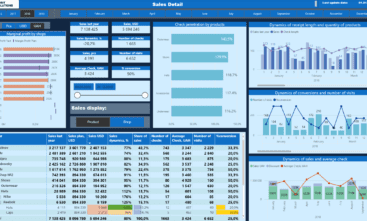
Due to data confidentiality, we do not publish Aviation Concepts’ actual dashboards. Below are several examples that demonstrate Power BI capabilities and Cobit Solutions’ approach to business data visualization.
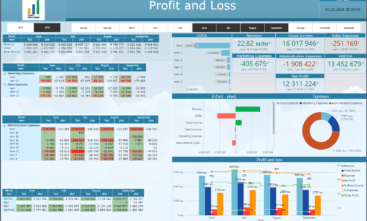
Profit & Loss (P&L)

Profit & Loss (P&L)

Profit and loss statement of the company

Store Performance Dashboard

Store Performance Dashboard

Retail sales analytics - Categories, Stores, Brands, Managers

Actuals vs Budget Dashboard

Actuals vs Budget Dashboard

Revenue and budget variance insights

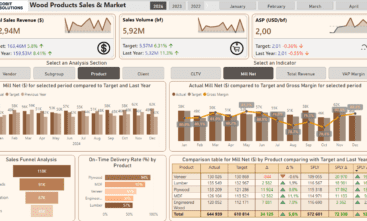
Sales & Market Analytics

Sales & Market Analytics

Products' margin structure and market

Working Capital Dashboard

Working Capital Dashboard

Cash, receivables, payables, and inventory insights

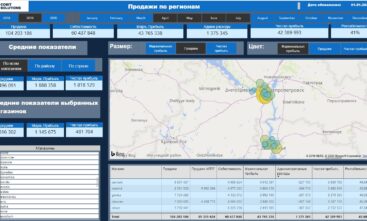
Retail dashboard

Retail dashboard

Retail efficiency GIS geo analytics

Cobit Solutions

Aviation Concepts Got the Analytics Experience It Expected

The main goal of the project was to reduce the time spent drilling down into data. According to Anthony Gandarillas, working with Cobit Solutions helped the team achieve the level of detail they needed in Power BI.

He also spoke highly of the reports themselves: they were clear, easy to analyze, and matched the outcome Aviation Concepts had expected at the start of the project.

“We wanted to save time on drilling down into the data — and I think we were able to get there together. The report was very strong and very visual. We got exactly the output we wanted to see.”

Anthony Gandarillas
Financial Planning & Analysis (FP&A) Specialist, Aviation Concepts

Why Businesses Choose Cobit Solutions for Power BI Projects

When working with Aviation Concepts, the Cobit Solutions team went beyond simply executing a technical brief. BI experts worked directly with the client to discuss Power BI capabilities, propose implementation options, and determine the best way to structure data drill-down around real business needs. Anthony Gandarillas specifically highlighted the value of direct communication with technical specialists and their ability to show the client more of what the platform could do.

image

Start in 1 week, work on EST hours, get results fast

image

25+ Data, BI & Finance experts ready to help

image

8+ years delivering data solutions in 22+ industries

image

Trusted by 70+ clients across 5 countries

image

Save 40% vs. building the same team in-house

image

Full end-to-end delivery, from DWH to support & AI

Need a team that can help you find the right analytics setup for your business? Discuss your Power BI project with Cobit Solutions experts.

Discuss a Similar Project

We also offer you to familiarize yourself with our other projects

Cobit Solutions Cobit Solutions