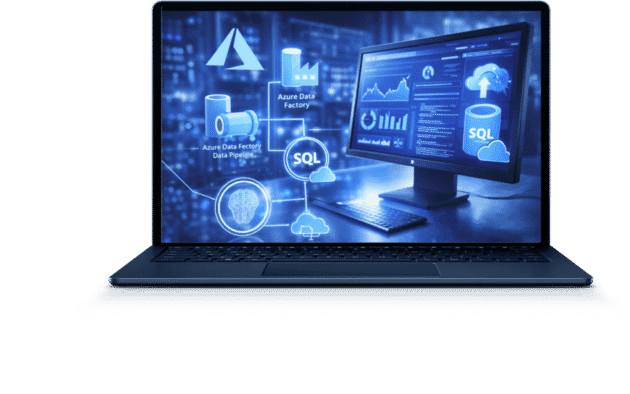
Azure Data Factory consulting to automate data workflows






Launch automated data pipelines for key business processes.

Reduce data preparation time from hours to minutes.

Get a transparent, scalable architecture.

to improve your data management efficiency




Get a clear plan for automating your data processes in just one week
Assess your current data management system and identify areas for optimization. Receive a plan for integrating and transforming data to meet your business needs. Implement changes without disrupting operations and with predictable results.
Or text us via Messenger



Leading companies trust COBIT SOLUTIONS for Azure Data Factory consulting
Our case studies demonstrate how implementing next-generation analytics helps synchronize systems,
reduce data processing times, and make decisions based on accurate metrics.

Healthcare
“Dobrobut” clinics network
Result:
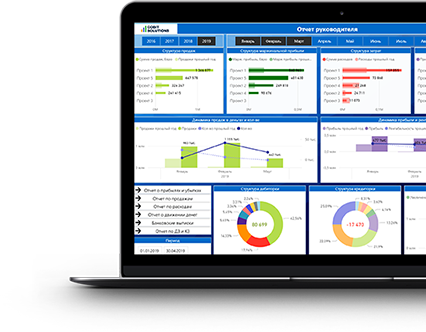
- The clinic’s directors receive a P&L report updated daily.
- Management uses a daily dashboard for budget-versus-actual analysis of operational indicators.
- Dashboards combine data from ERP and the Doktor Eleks medical system.

Logistics
Meest China
Result:
- Dashboards combine data from ERP and CRM.
- Route margins are automatically calculated in dashboards and monitored every day by management.
- A Profit & Loss report is generated daily.

Manufacturing
Steelite International USA
Result:
- Automated reporting, reducing turnaround from 10 days to overnight.
- Scaled visibility from regional to global (US, UK, Canada, Europe, Australia).
- Centralized data enabled data-driven decisions on a weekly cadence instead of monthly.
Industry-focused case studies designed for your needs


Why You Should Use Our Azure Data Factory Consulting Services
Cobit Solutions experts build scalable and easy-to-understand data integration systems tailored to specific business goals. Our solutions simplify process management, reduce the workload on your team, and support your company’s growth without requiring a complete overhaul of your architecture.

Start in 1 week, work on EST hours, get results fast

25+ Data, BI & Finance experts ready to help

8+ years delivering data solutions in 22+ industries

Trusted by 70+ clients across 5 countries

Save 40% vs. building the same team in-house

Full end-to-end delivery, from DWH to support & AI







Need control, predictability, and solutions you can trust? Order Azure Data Factory consulting services and get a system that supports planning, risk management, and operational stability.
Testimonials for Our Business Intelligence Services

Manufacturing

Steelite International USA
“Cobit Solutions quickly understood the complexity of our environment and delivered strong results across a wide range of subject areas. They adapted fast, worked effectively under tight timeframes, and consistently provided high-quality technical and business input throughout the project. We now see them as a consistent and valuable partner in our ongoing data journey.”
Josh Rammel
Global Head of IT

Distribution & Wholesale
Site Landscape Development
“Second only to the Mona Lisa, it is the most beautiful work of art I’ve ever seen in my life… For real, it’s great. It’s exactly what we needed and we’re looking for. It’s good visualizing it that way. All is very good. This stuff’s awesome.”
Andrew Craft
President at Site Landscape Development

Logistics
Self-Storage Facilities in 6 countries
“We want to express our sincere appreciation for all the support you’ve provided… From tackling urgent challenges like data upload to creating the initial flash report and making progress on complex issues; your contributions have been invaluable.”
Julia MacDonald
Group FP&A Manager

Retail
“HELEN MARLEN” fashion boutiques
«Now all my data is updated every day. I take a look from time to time, when I’m making my own report, whether the numbers coincide. Having made sure it’s alright, I just carry on with my life in peace.»
Serhii Tupkalo
Board member, CFO at HELEN MARLEN L.P.

HoReCa
“Salateira” restaurants chain
“The project helps us quickly and remotely see the information available for the company all over the world, besides it is updated daily.”
Olena Vasylevska
Chief Financial Officer of the chain of restaurants "Salateira"

IT companies
SPAN
“Certainly, the automation of business analysis will contribute to the flexibility and efficiency of making important decisions for the company while maintaining high standards of information security.”
Oleg Avilov
CEO at SPAN

IT companies
The App Solutions
“The work delivered by Cobit Solutions met all expectations and the team demonstrated their skill and expertise well. I highly recommend the services and look forward to future collaborations.”
Kateryna Ishchuk
Partnerships Director The App Solutions

Distribution & Wholesale
Frendt LLC
“Automation of business analysis helps us to see and control key metrics in real time, both of individual areas and of the entire business as a whole, which allows us to make timely and effective management decisions.”
Andrii Marchenko
Chief Information Officer of Frendt LLC

IT companies
Alpha Serve
“The developed perfectly looking BI templates allow our clients to quickly build their first report in Power BI and include the most relevant KPIs for reports.”
Anna Odrynska
Chief Strategy Officer at Alpha Serve

Healthcare
“Dobrobut” clinics chain
“Thanks to dashboards, we can also make a forecast of our financial indicators for a month, quarter or half a year and have the opportunity to compare the actual financial result with our predicted one – to understand the completeness of the reflection of expenses and income.”
Andrey Arbuzin
Deputy financial director
LEAVE A REVIEW FOR OUR Order Azure Data Factory consulting and automate your data workflows
Get a ready-made data processing optimization plan starting at $80/hour
In just 8–16 hours, you’ll receive a clear automation plan, a list of problem areas, and scenarios that deliver the fastest cost savings. And this investment pays for itself in the very first month by reducing manual processing and errors.







WHICH OF OUR CORE AZURE DATA FACTORY CONSULTING SERVICES SHOULD YOU CHOOSE?

Azure Data Factory Design and Architecture
This service defines exactly how data integration, processing, and transfer between systems will be implemented. It is typically requested by manufacturing, logistics, financial, and healthcare companies with multiple data sources, multiple departments, or a distributed structure, where integration errors impact reporting and operational processes.
Most often, this need arises before launching a new analytics system, before migrating to Azure, when replacing manual ETL processes, or when it is necessary to integrate ERP, CRM, accounting, and BI into a single workflow.

Data Orchestration with Azure Data Factory
Seamless data integration and orchestration with Azure Data Factory—a service that ensures all data sources work in harmony within a single process. It is used by companies with multiple systems, such as ERP, CRM, accounting, and marketing platforms.
Data orchestration is essential when reports are generated from different sources and yield varying results, or when some integrations are performed manually. The service allows you to configure data transfer, the sequence of process execution, and the verification of data exchange accuracy.

Intelligent ETL/ELT Process Automation
Intelligent ETL/ELT process automation is a service that transforms data processing from manual tasks into managed automated workflows. It is sought by companies where analytics, finance, or operations teams spend hours preparing data, consolidating tables, and correcting errors.
This is most often needed when reports are generated manually on a daily or weekly basis and the volume of data is growing faster than the team can process it. As part of the service, ETL/ELT processes are configured, transformations are automated, and duplication is eliminated.

Deployment of the Azure Data Factory Platform
A full deployment of Azure Data Factory is a service that ensures the platform is launched in a company’s production environment, considering all technical requirements. It is ordered by companies that are implementing Azure Data Factory from scratch or migrating data processing from on-premises or legacy systems to the cloud.
This is most typically required before launching new data processes or analytics or after deciding to centralize data. The service includes setting up environments, access, connections to data sources, and the platform’s basic configuration.

Continuous Monitoring, Support, and Cost Management for ADF
Azure Data Factory Monitoring and Support is a service that ensures the system’s performance is monitored after deployment. It is typically used by companies that already have integrations and pipelines in place but are experiencing errors, delays, or uncontrolled cost increases in Azure.
This is most often needed after implementation, when data volumes and the number of processes increase, and costs begin to rise for no apparent reason. The service tracks process execution, identifies failures, optimizes workflows, and configures cost control.

Custom Azure Data Factory Solutions
Custom Azure Data Factory solutions are designed to tailor data processing to a company’s specific analytical needs. They are requested by companies that use BI systems for business management and require accurate, consistent metrics in their reports.
This is most typically required when standard integrations do not account for the business logic of calculations or when different departments work with different figures. As part of the service, data processing scenarios are configured, the logic of metrics is aligned, and data is prepared for analytics.
Find out where your data processes are costing you money — in just one consultation
Identify bottlenecks in data integration and processing. See which errors are affecting costs and report quality. Get specific recommendations for the first phase of change.
Or text us via Messenger