Connect Microsoft Dynamics 365 Finance to Power BI — Live in 3 Weeks
Bring general ledger, accounts payable, accounts receivable, budgeting and fixed-asset data into governed Power BI reporting
Model Dynamics 365 Finance entities for finance teams that need consistent dimensions, legal-entity views and KPI definitions
Support scheduled reporting workflows for cash position, close status, expense control and financial performance
Access to all your ERP data directly pulled from the Microsoft Dynamics 365 Finance production database
Ability to use any dimension, property and ledger available in Dynamics 365
Optional near-real-time Microsoft Dynamics 365 Finance data available in your Power BI reports
Use the Dynamics 365 data integration connector with Tableau, Qlik Sense or Looker too

- One-time payment
- No upfront payment
- Pay after acceptance

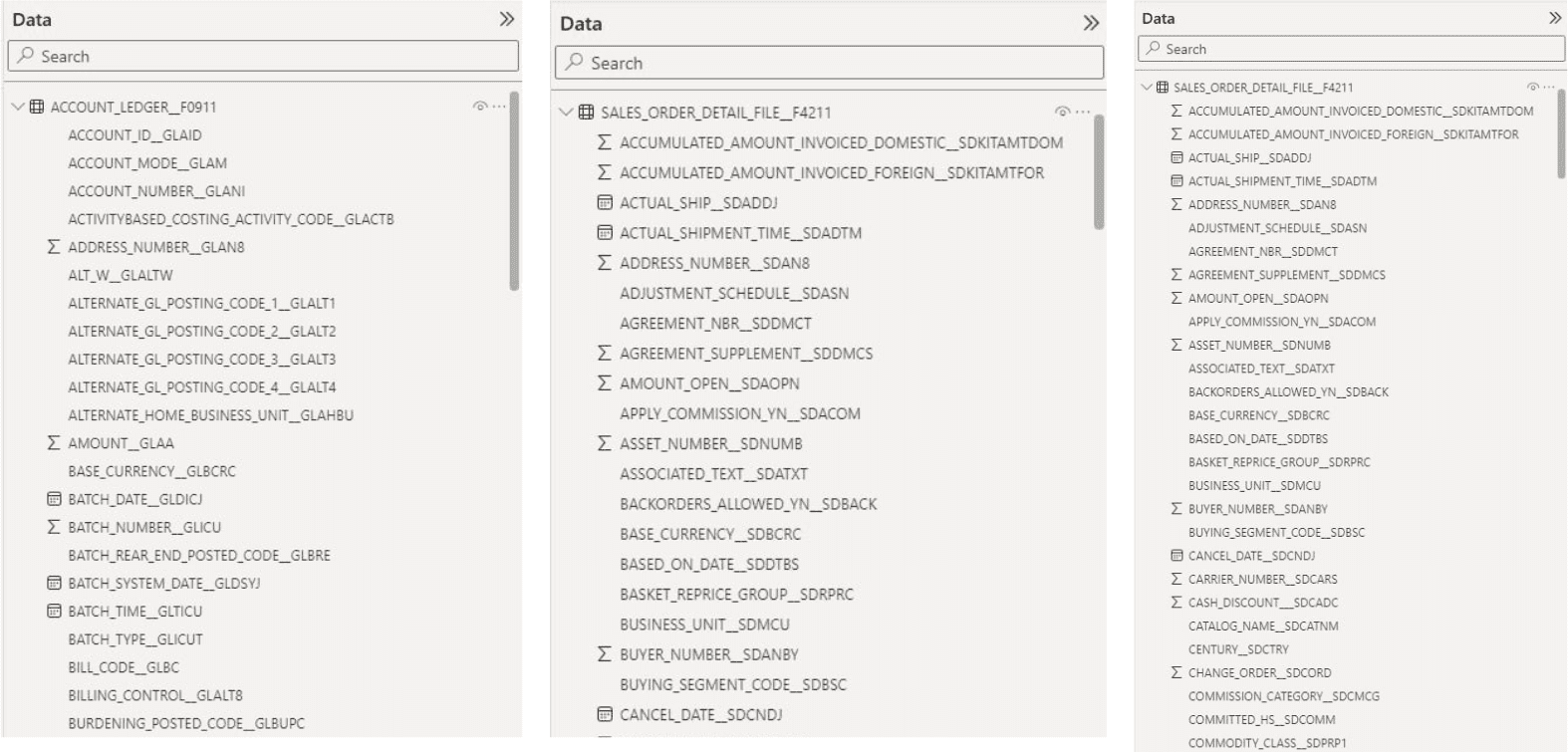
Example of Microsoft Dynamics 365 Finance Object Fields in Power BI
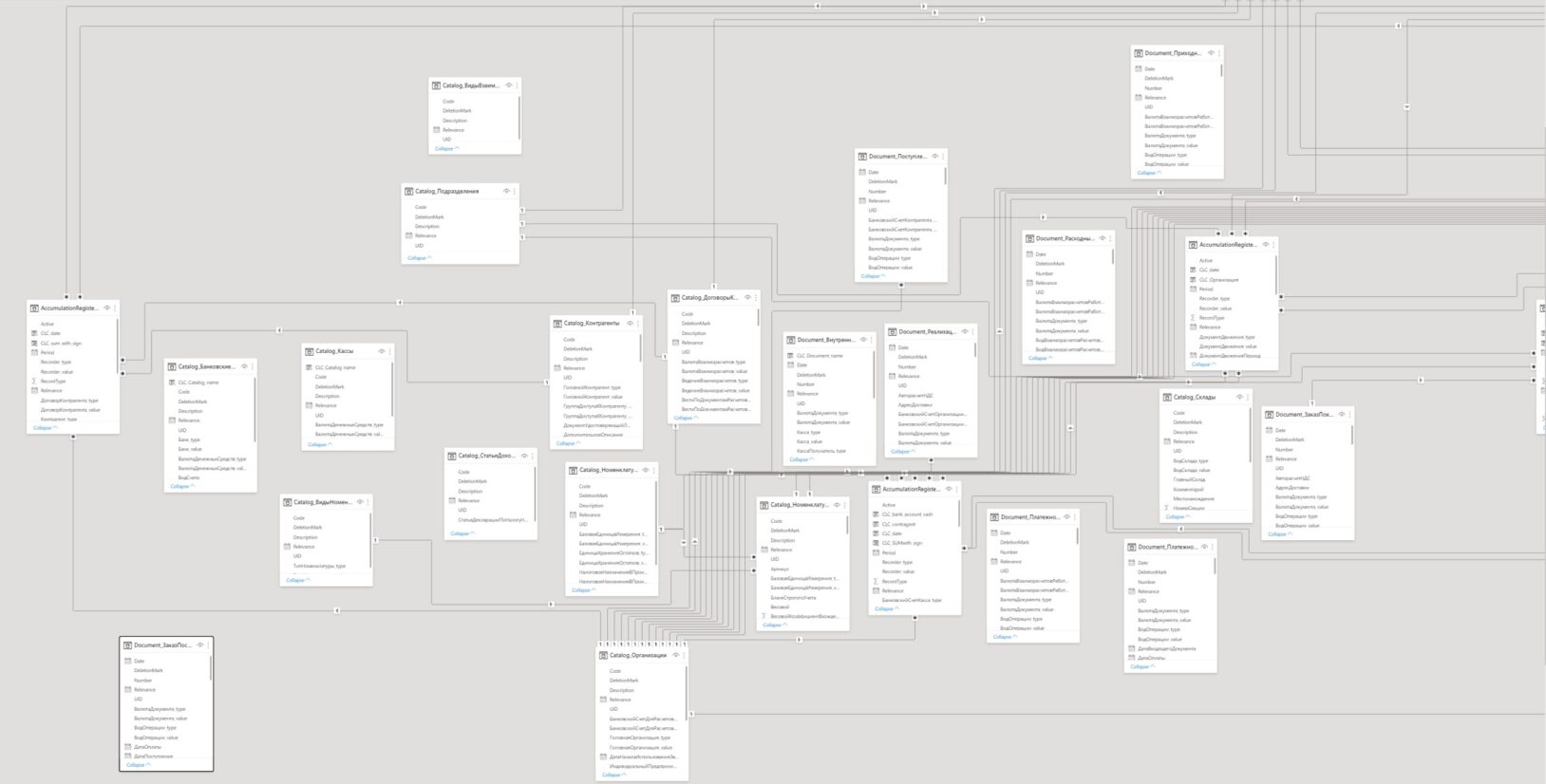
Example of Power BI Data Model based on Microsoft Dynamics 365 Finance
Benefits of Power BI integration with Microsoft Dynamics 365 Finance
Finance reporting with a common model
Bring Dynamics 365 Finance transactions, balances and master data into a governed Power BI model so finance and leadership work from aligned definitions.
Faster period-close visibility
Track close tasks, account balances, variances and exceptions in Power BI dashboards designed around your reporting calendar.
Legal-entity and dimension analysis
Compare companies, business units, cost centers and financial dimensions without rebuilding the same report for every stakeholder.
Cash and working-capital oversight
Connect receivables, payables, cash and budget data for practical views of liquidity, commitments and financial trends.
Controlled, repeatable reporting
Replace ad hoc spreadsheet consolidation with documented mappings and scheduled data preparation tailored to your environment.
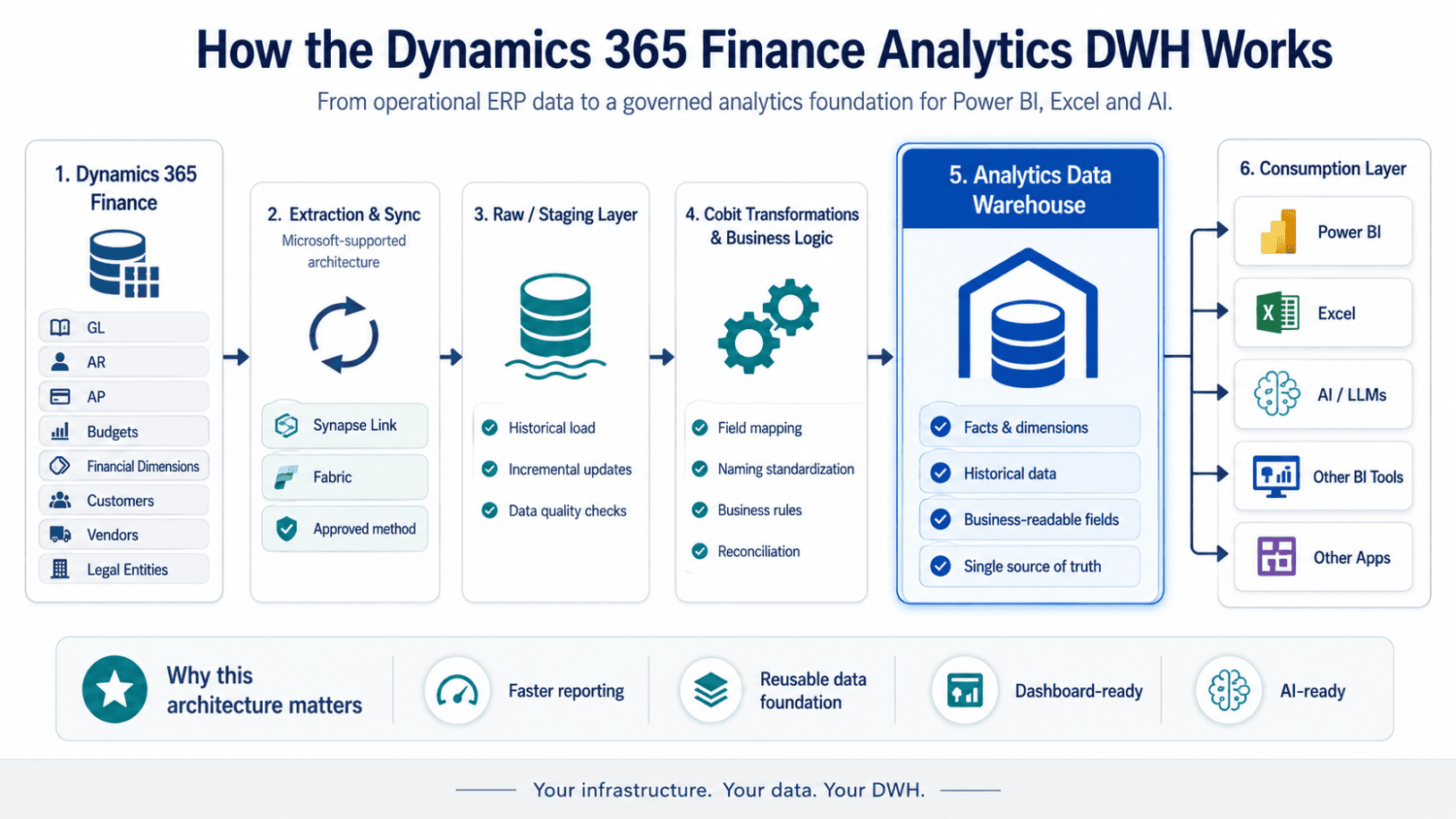
Fixed-scope implementation package
Dynamics 365 Finance Analytics DWH
A ready-to-use analytics foundation for your Microsoft Dynamics 365 Finance data.
Fixed one-time price
$12,900
No upfront payment — pay after acceptance.
What’s included
- 1 × Dynamics 365 Finance environment data extraction
- Cloud analytics data warehouse (DWH) implementation
- Core Finance domains: GL, AR, AP, Chart of Accounts, Customers, Vendors and Entities
- Optional facts and dimensions from other data and custom objects
- Historical and incremental data loads
- Finance fact and dimension model
- Human-readable entities and fields
- Data validation and reconciliation
- Automated refresh
- Power BI-ready architecture
- Data mapping and an optional Power BI semantic model
- Documentation and handover
Your infrastructure. Your data. Your DWH.
Check whether your Dynamics 365 Finance environment qualifies for this package.
Optional add-on services
Finance KPI dashboards
Configure Power BI dashboards for P&L, balance sheet, cash flow, budget versus actual and departmental performance.
Data mapping and semantic models
Map Dynamics 365 Finance entities, chart-of-accounts structures and dimensions into a reusable reporting model.
Data-quality preparation
Reconcile source fields, standardize labels and address reporting exceptions before they reach executive dashboards.
Power BI adoption support
Help finance users understand the model, filters and reporting workflows so new dashboards become part of the close process.
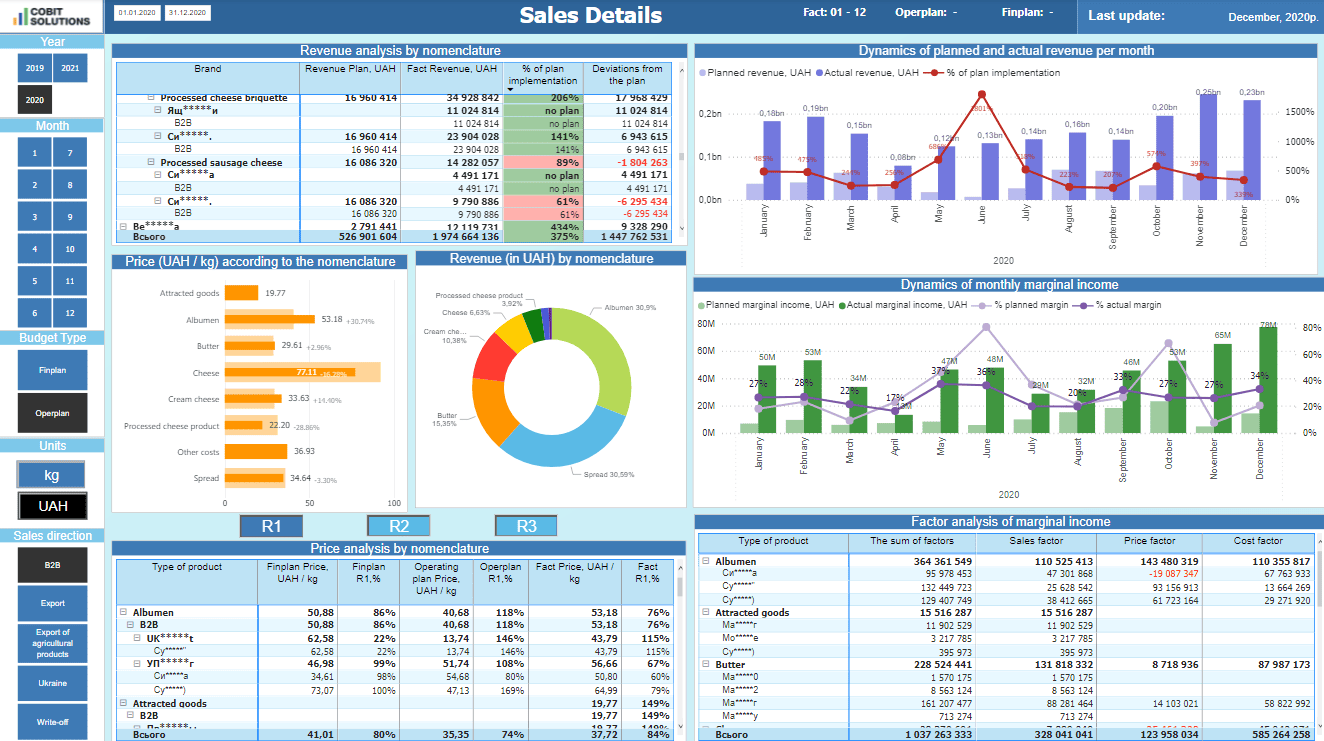
Examples of Power BI dashboards based on Microsoft Dynamics 365 Finance
Microsoft Dynamics 365 Finance — Sales Details Dashboard
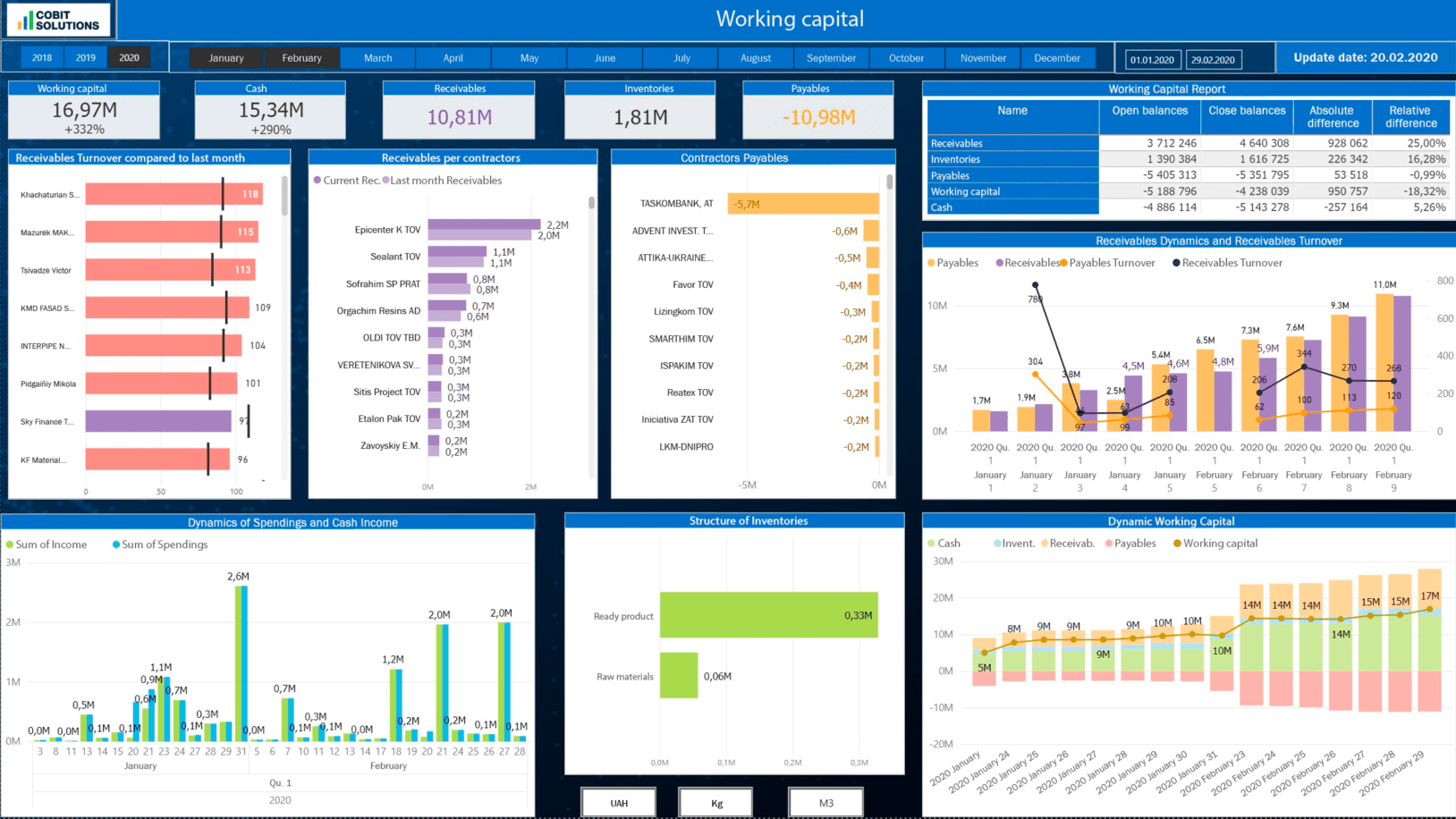
Microsoft Dynamics 365 Finance — Working Capital Dashboard
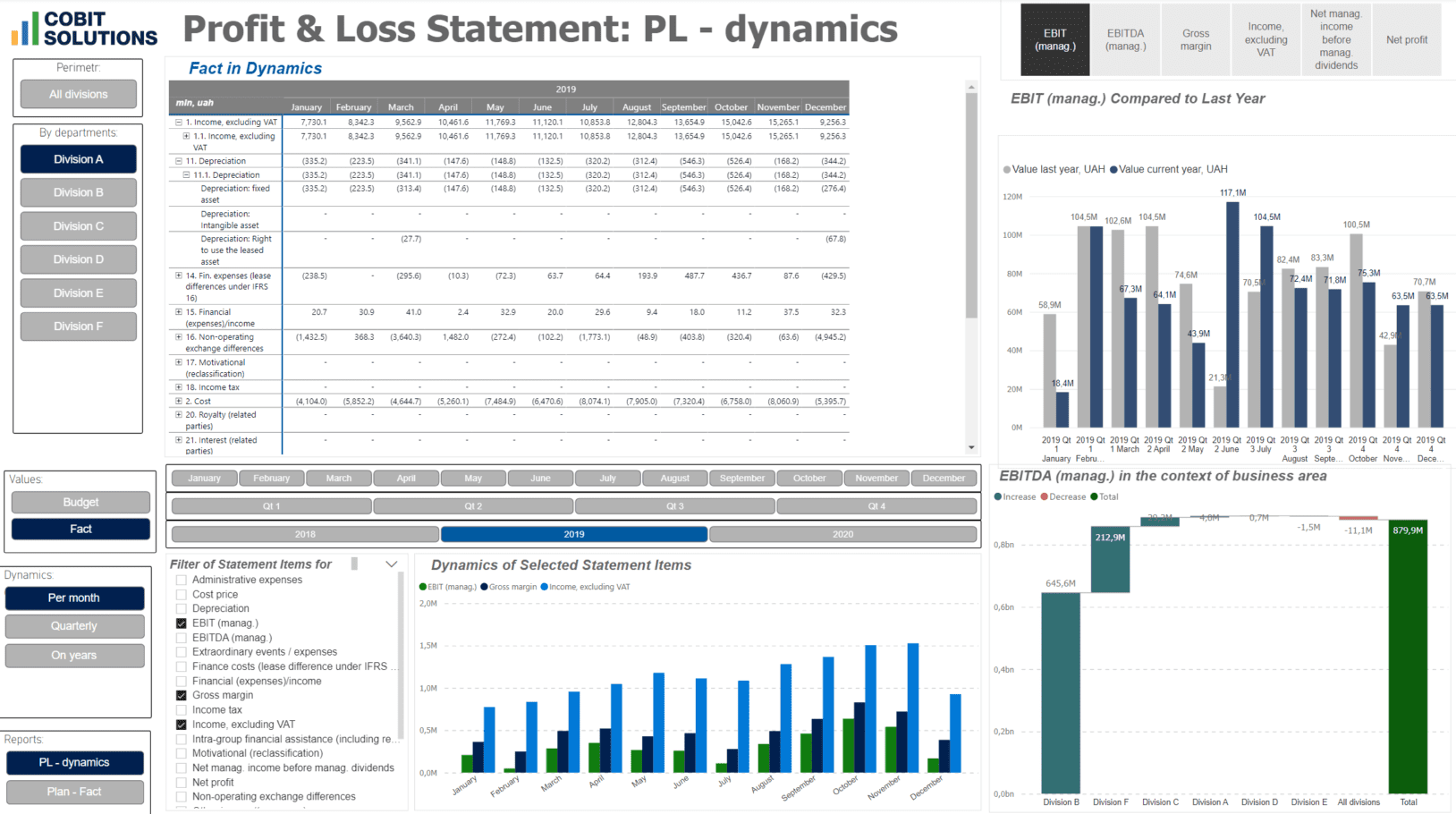
Microsoft Dynamics 365 Finance — P&L Dashboard
book a free 15 min consultation
Let's schedule a 15-minute online meeting to discuss your Microsoft Dynamics 365 Finance with Power BI Integration and Dashboards. You will get a detailed quote after this on-line meeting.
Or text us via Messenger



Microsoft Dynamics 365 Finance Power BI integration gives finance teams a governed way to analyze general ledger, payables, receivables, budgets, fixed assets and financial dimensions in Power BI. Instead of reconciling disconnected exports, teams can work from a reporting model shaped around their legal entities, chart of accounts and management KPIs.
A Dynamics 365 Finance Power BI dashboard can support period-close reviews, budget-versus-actual analysis, cash oversight and variance investigation. Cobit Solutions can scope the mappings, data preparation and Power BI semantic model around your approved reporting requirements, then help users adopt the resulting reports through practical Power BI consulting.
For organizations that need broader architecture support, our data integration consulting services and data warehouse consulting can help establish clear ownership, quality checks and reusable datasets for Dynamics 365 Finance analytics.
4 Steps to Get Microsoft Dynamics 365 Finance Integration
Initial Meeting with Requirements Gathering
We align on goals, systems and constraints and capture your reporting requirements.
Contract Signing & Access Provision
We sign the agreement and you provision secure, read-only access to your data.
Seamless Integration
We build the approved extraction and transformation flow into a governed Power BI model.
Usage Training & Post-Payment
We train your team, hand over the live dashboards, and finalize payment.
Optional BI Development and Data Integration Services
Related capabilities we deliver alongside Microsoft Dynamics 365 Finance Power BI integration.
The technology integrating Microsoft Dynamics 365 Finance with Power BI is used by 50+ of our clients
Visualize Dynamics 365 Finance balances, journals, budgets and dimensions in business-ready Power BI reports
Create scheduled reporting workflows suited to your finance calendar and data-validation process
Preserve your existing Dynamics 365 Finance configuration while defining reporting mappings around it
Use documented access and handling practices appropriate for sensitive financial information
Keep the reporting model focused on the agreed integration scope after delivery
Design the integration to read and prepare reporting data without changing finance records
AI-ready analytics
Add AI assistants (ChatGPT, Claude, Copilot) on top of Dynamics 365
Once Dynamics 365 data lives in a governed Power BI model, connect modern AI assistants to explore it conversationally — without exposing the source system.
Ask finance questions in plain language
Use approved AI assistants on the governed Power BI model to explore Dynamics 365 Finance measures, variances and trends conversationally.
Draft management commentary
Turn approved dashboard results into first-draft explanations for budget reviews, close packs and finance leadership updates.
Investigate exceptions sooner
Use AI-supported analysis to surface unusual movements or gaps for finance teams to review against the underlying Dynamics 365 Finance data.
Prefer Tableau, Qlik Sense or Looker for your Dynamics 365 data?
You can also use the Microsoft Dynamics 365 Finance data integration connector with Tableau, Qlik Sense, or Looker. The same export-based pipeline that feeds Power BI can deliver governed Dynamics 365 data to your BI tool of choice.
Tableau
Qlik Sense
Looker
No proprietary reporting lock-in
The DWH is deployed into your infrastructure and belongs to you.
After project completion:
- You own the database and transformed data.
- You receive technical documentation.
- Cobit does not need permanent access.
- Your internal BI team can build new reports independently.
- You can use Power BI, Excel, AI or other tools against the same data layer.
FAQ
Yes. A Dynamics 365 Finance Power BI integration can prepare agreed finance data for governed reporting. The appropriate approach depends on your environment, security model and reporting scope.
Start by defining the finance entities, dimensions, legal entities and KPIs your teams need. The integration then maps and prepares those data sets for a Power BI semantic model and reports.
Common reporting scopes include general ledger, accounts payable, accounts receivable, budgets, fixed assets, cash and financial dimensions. The final model is tailored to the data and permissions approved for your organization.
Scheduled refreshes can be configured where the selected integration approach and your environment support them. Refresh timing, validation and access controls are agreed during discovery.
Yes. The same governed reporting-data approach can be scoped for Tableau, Qlik Sense or Looker when those are the BI tools your teams use.