Connect HubSpot CRM to Power BI — Live in 3 Weeks
Unify HubSpot contacts, companies, deals, pipelines and activities in a governed Power BI model
Build executive views of pipeline, conversion, revenue attribution and service performance
Preserve record relationships and selected property history for trustworthy trend analysis
Schedule incremental HubSpot data extraction with monitoring, validation and documented handover
Read HubSpot CRM objects through approved API scopes without changing source records
Map standard and custom properties, pipelines and associations into analytics-ready tables
Refresh on an agreed schedule that respects HubSpot access permissions and API limits
Reuse the governed HubSpot data warehouse with Power BI, Tableau, Qlik Sense or Looker
Keep extraction credentials, database ownership and refresh operations in your environment

- One-time payment
- No upfront payment
- Pay after acceptance
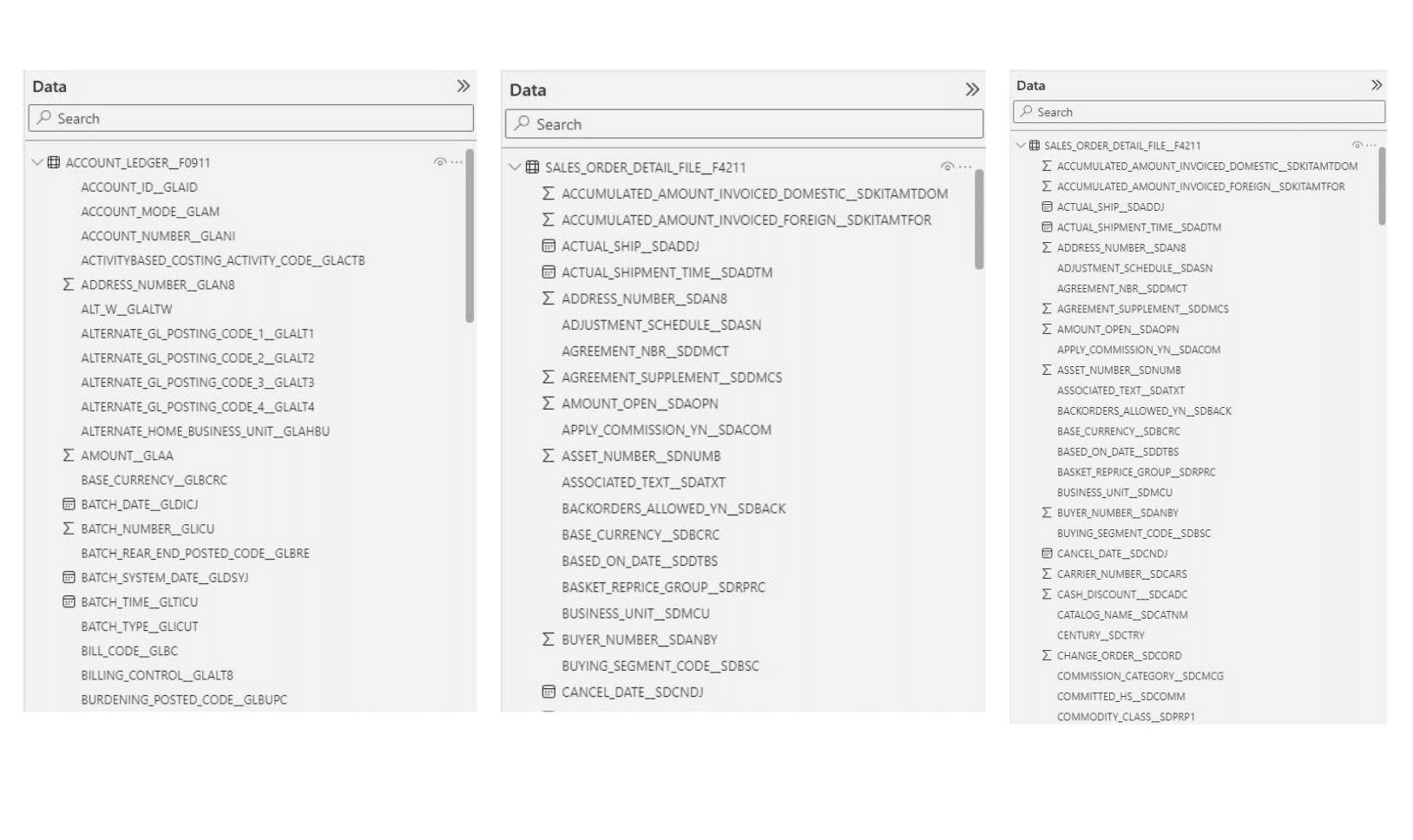
Example of HubSpot CRM Object Fields in Power BI
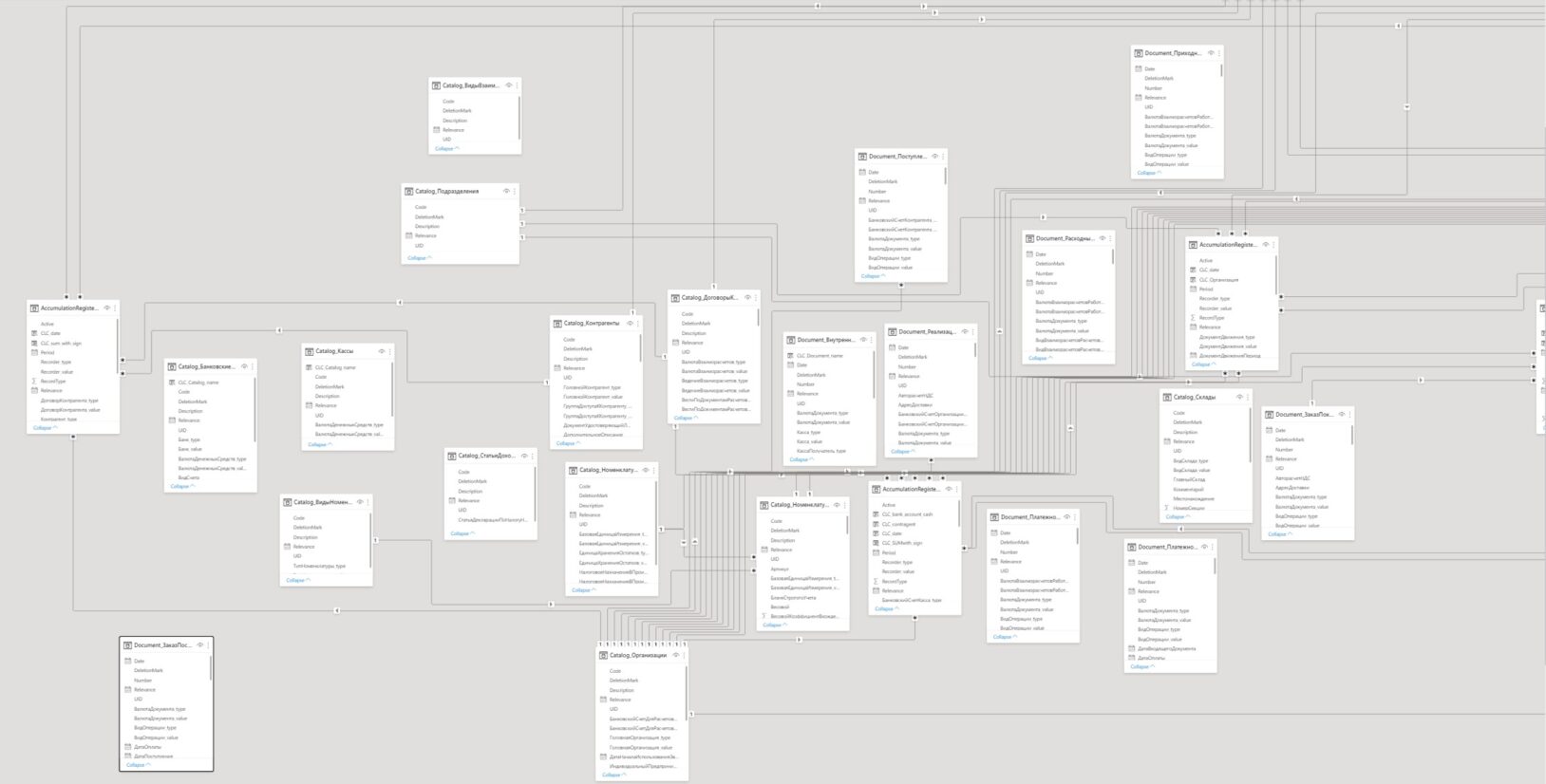
Example of Power BI Data Model based on HubSpot CRM
Benefits of Power BI integration with HubSpot CRM
One revenue view
A HubSpot CRM data warehouse joins contacts, companies, deals, owners and activities so sales, marketing and finance review the same funnel definitions.
Reliable pipeline history
The HubSpot reporting database retains selected snapshots and property history for stage movement, velocity, conversion and cohort analysis beyond point-in-time exports.
Decision-ready attribution
HubSpot analytics in Power BI connects lifecycle, campaign and opportunity signals to governed KPIs, helping leaders compare channels and prioritize revenue actions.
Less manual reporting
A monitored HubSpot data pipeline replaces recurring spreadsheet consolidation with scheduled loads, quality checks and reusable semantic models.
Extensible foundation
The data warehouse for HubSpot can be combined with finance, product or support sources as scope expands, without rebuilding every dashboard from scratch.
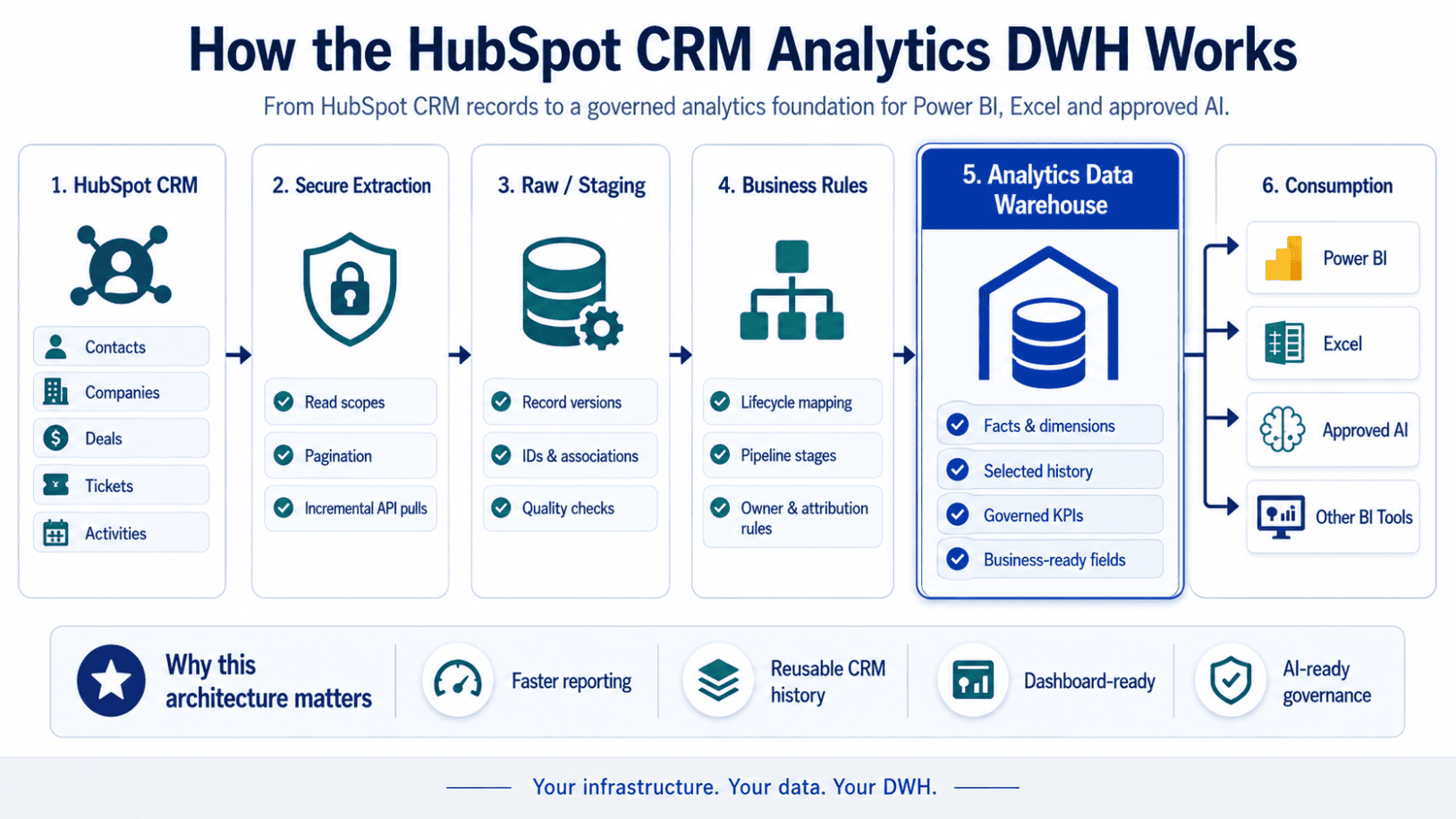
Fixed-scope implementation package
HubSpot CRM Analytics DWH
A fixed-scope analytics foundation for one HubSpot portal and an agreed CRM object set.
Fixed one-time price
$12,900
No upfront payment — pay after acceptance.
What’s included
- 1 × HubSpot CRM environment data extraction
- Cloud analytics data warehouse (DWH) implementation
- Core reporting domains and master-data entities
- Optional facts and dimensions from other data and custom objects
- Historical and incremental data loads
- Business-readable fact and dimension model
- Data validation and reconciliation
- Automated refresh and data-pipeline scheduling
- Power BI-ready architecture and optional semantic model
- Documentation and handover
Your infrastructure. Your data. Your DWH.
Check whether your HubSpot CRM environment qualifies for this package.
No proprietary reporting lock-in
The HubSpot analytics data warehouse is deployed in your infrastructure and belongs to you.
After project completion:
- You own the database, transformed tables and Power BI semantic model.
- You receive field mappings, refresh logic and technical documentation.
- Cobit does not need permanent access after handover.
- Your BI team can extend the HubSpot reporting database independently.
- The same governed layer can support Power BI, Excel and approved AI tools.
Optional add-on services
Revenue operations dashboards
Extend HubSpot analytics for pipeline coverage, stage velocity, forecast inspection, conversion and sales activity.
Marketing performance model
Add agreed campaign, source and lifecycle fields to the HubSpot CRM data warehouse for cross-funnel analysis.
Incremental extraction
Tune the HubSpot data extraction cadence, checkpoints and exception handling around object volume and reporting priorities.
Cross-system integration
Combine the HubSpot data integration layer with ERP, billing, product or support data using governed business keys.
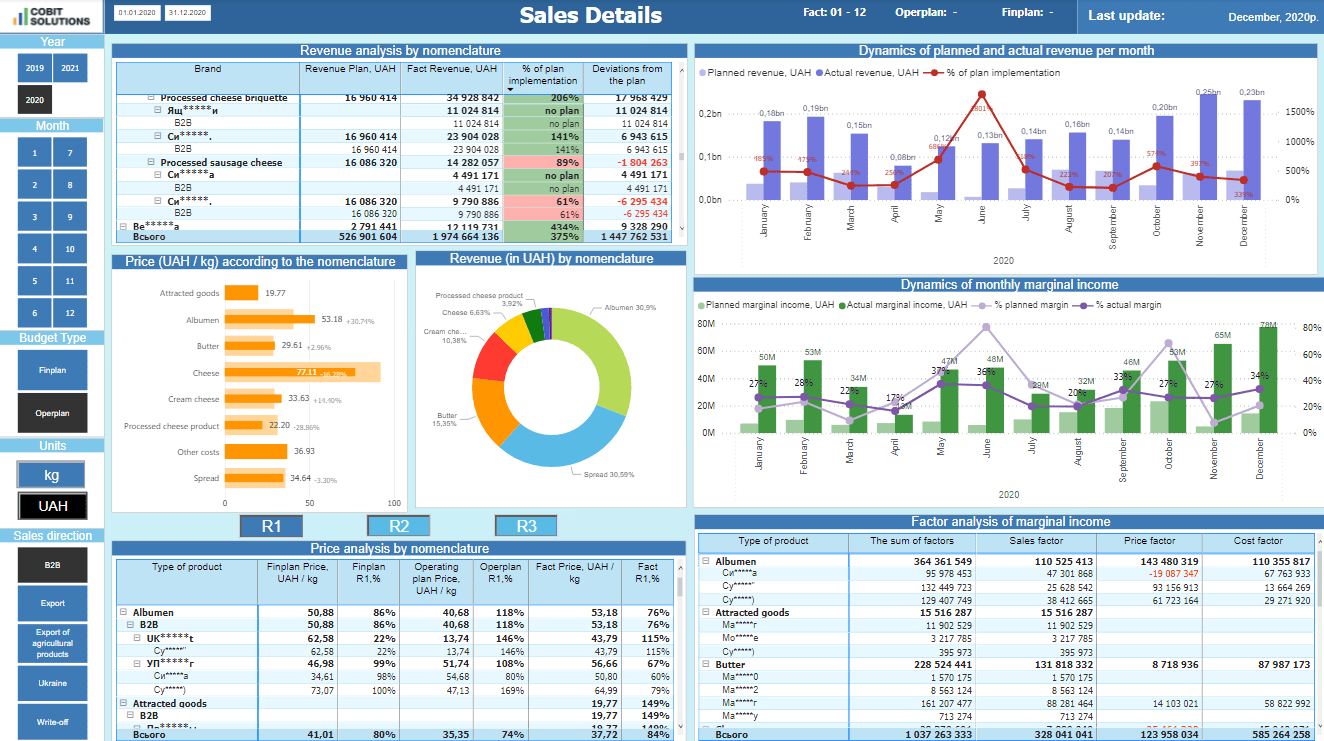
Example of Power BI dashboards based on HubSpot CRM
HubSpot CRM — Sales Details Dashboard
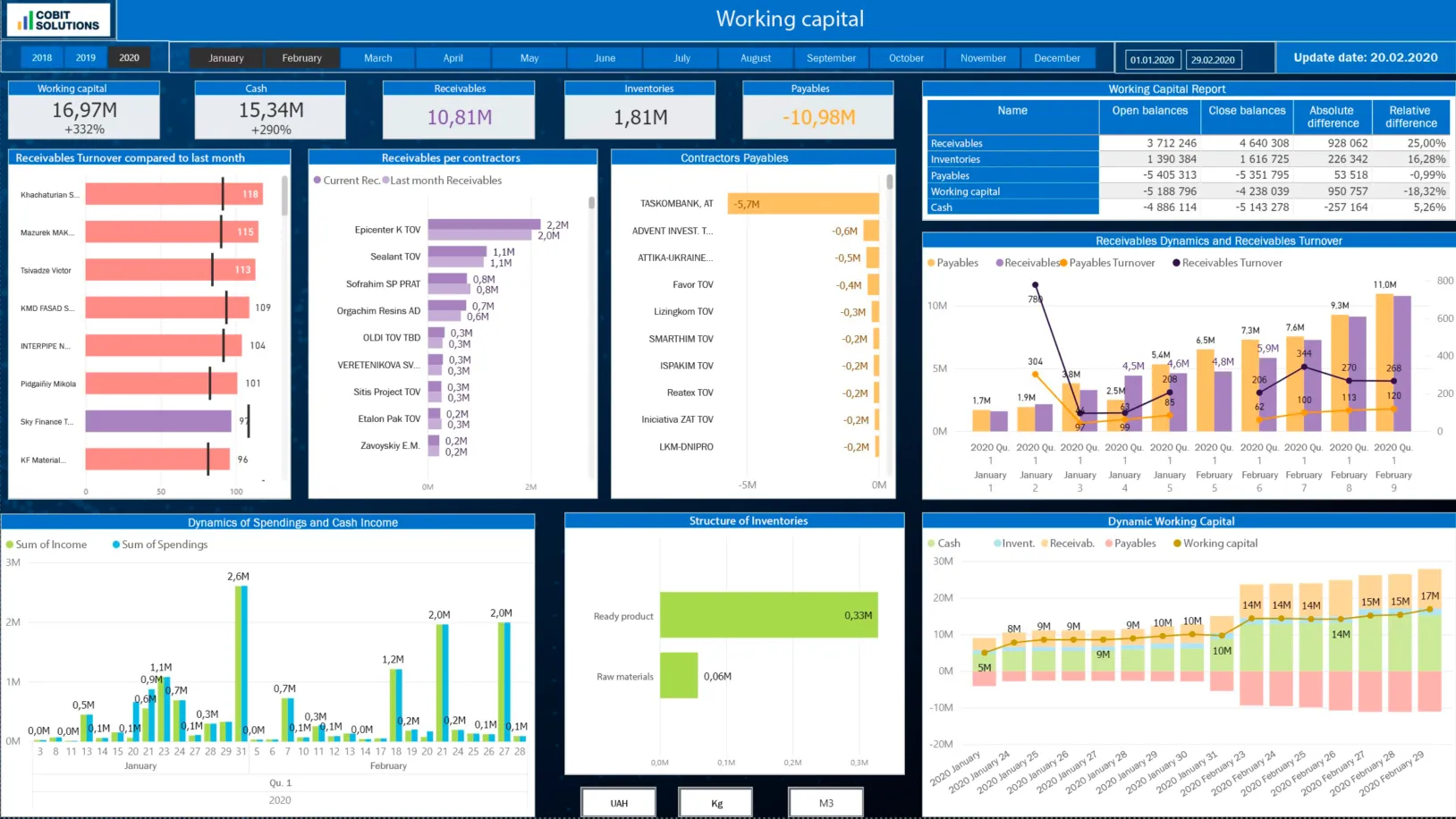
HubSpot CRM — Working Capital Dashboard
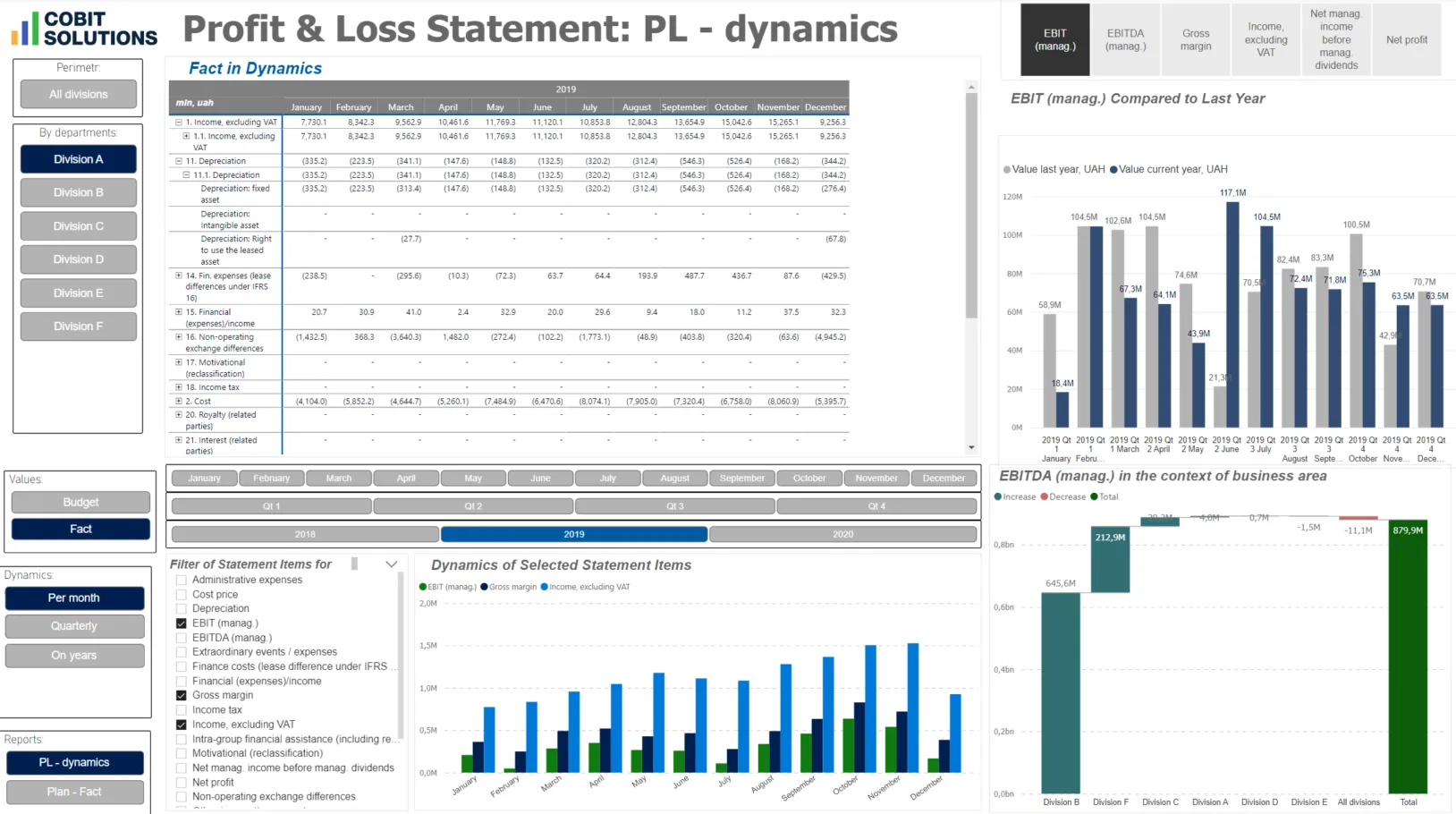
HubSpot CRM — P&L Dashboard
book a free 15 min consultation
Let's schedule a 15-minute online meeting to discuss your HubSpot CRM with Power BI Integration and Dashboards. You will get a detailed quote after this on-line meeting.
Or text us via Messenger



HubSpot Power BI integration becomes more dependable when reporting is built on a governed HubSpot data warehouse, not a chain of manual exports. Cobit Solutions designs a HubSpot CRM data warehouse that extracts approved objects and properties, preserves associations, and prepares decision-ready facts and dimensions for Power BI. The result is a reusable data warehouse for HubSpot pipeline, conversion, activity and customer reporting.
The HubSpot analytics data warehouse can retain selected property history and snapshots needed for trend analysis. A documented HubSpot reporting database gives RevOps, sales, marketing and finance a shared foundation. Our data integration consultants configure the HubSpot data integration flow, quality rules and semantic model while keeping credentials and infrastructure under customer control.
For teams replacing spreadsheet work, the implementation establishes monitored HubSpot data extraction and a maintainable HubSpot data pipeline. This makes HubSpot analytics easier to extend across ERP, billing or product sources and provides a governed basis for dashboards, Excel analysis and approved AI use cases.
4 Steps to Get HubSpot CRM Integration
Initial Meeting with Requirements Gathering
We align on goals, systems and constraints and capture your reporting requirements.
Contract Signing & Access Provision
We sign the agreement and you provision secure, read-only access to your data.
Seamless Integration
We build the approved extraction and transformation flow into a governed Power BI model.
Usage Training & Post-Payment
We train your team, hand over the live dashboards, and finalize payment.
Optional BI Development and Data Integration Services
Related capabilities we deliver alongside HubSpot CRM Power BI integration.
The technology integrating HubSpot CRM with Power BI is used by 50+ of our clients
HubSpot data warehouse structures for contacts, companies, deals, tickets and selected activities
Association-aware models that preserve relationships between CRM records
HubSpot data extraction through approved read scopes, pagination and incremental checkpoints
Scheduled refresh designed around permissions, object volume and current API limits
No source-record modification by the reporting pipeline
Documented handover of the HubSpot data pipeline and Power BI model
AI-ready analytics
Add AI assistants (ChatGPT, Claude, Copilot) on top of HubSpot
Once HubSpot data lives in a governed Power BI model, connect modern AI assistants to explore it conversationally — without exposing the source system.
Ask governed revenue questions
Use an approved assistant over the semantic model to explore pipeline, conversion and account performance in natural language.
Draft management narratives
Turn validated HubSpot analytics into first-draft weekly pipeline and campaign summaries, with human review before distribution.
Surface unusual movement
Flag changes in stage velocity, win rate, activity or lifecycle conversion for analyst investigation instead of treating them as automatic conclusions.
Prefer Tableau, Qlik Sense or Looker for your HubSpot data?
The governed HubSpot data integration layer can also feed Tableau, Qlik Sense or Looker. One documented HubSpot analytics data warehouse supports consistent CRM definitions across the BI tools your teams already use.
Tableau
Qlik Sense
Looker
FAQ
Yes. Power BI can consume modeled HubSpot CRM data after an approved extraction process retrieves the objects, properties and associations in scope. We build the HubSpot data integration layer and semantic model so dashboards use consistent definitions instead of disconnected exports.
We confirm reporting goals, inspect available properties and permissions, define the HubSpot data extraction method, load raw records and associations, apply business rules, and publish a validated Power BI model. The HubSpot CRM data warehouse is documented and handed over in your infrastructure.
Common scope includes contacts, companies, deals, pipelines, owners, tickets and selected activities, plus standard and approved custom properties. Exact availability depends on your HubSpot subscription, portal configuration and granted scopes; discovery confirms the final HubSpot reporting database field list.
Refresh frequency is designed for your reporting need, object volume, permissions and API constraints. The standard HubSpot data pipeline uses scheduled incremental loads; webhook-assisted change detection can be evaluated separately when the use case and HubSpot app model support it.
Yes, when history is included in scope. We can retain selected property history and periodic snapshots so HubSpot analytics can measure stage movement, velocity and conversion over time rather than only displaying the latest record state.
Yes. The data warehouse for HubSpot can be extended with ERP, billing, product or support sources using governed keys and reconciliation rules. This creates a broader customer and revenue view while keeping source-specific logic traceable.
The standard fixed-scope HubSpot analytics DWH package is $12,900, with no upfront payment and payment after acceptance. Final eligibility depends on one portal, the agreed object set, access readiness, data volume and customization requirements.